Free Online JavaScript Obfuscator

Free online tool to obfuscate your JavaScript code. Paste your code, obfuscate it in seconds, and protect it against reverse engineering, copying, and tampering.

Source codeJavaScript
Original13 lines
Obfuscated code

Your obfuscated code will appear here

Obfuscated0 lines

Options

Your code is processed securely and never stored. Free to use, no signup required to start.

Whole-project protection

JavaScript obfuscator for your build pipeline

The online tool above is a quick JavaScript obfuscator for single files. For a real project, you need obfuscation built into your pipeline. ByteHide installs as a JavaScript obfuscator for your build, protecting your whole codebase on every release. Free to use with a ByteHide account.

Install for your build

Bundlers
Frameworks
Task runners
CLI
Webpack

Webpack

Bundlers

npm install --save-dev @bytehide/webpack-shield

Add ByteHide as a step in your Webpack build.

Full setup guide in the docs

Free to use with a ByteHide account

The package is free to use. The first time it runs, it asks for a token that connects it to your ByteHide account. Create a free account to get yours.

Get your free token

Whether you use Webpack, Vite, or a framework build, there is a ByteHide JavaScript obfuscator package that fits it. These packages give you the obfuscation built into ByteHide Shield, integrated straight into your build. When you are ready for advanced configuration, runtime protection, and code virtualization, it is all part of the same account.

See everything in ByteHide Shield
  • Built by ByteHide
  • Application security for .NET, JavaScript, Android and iOS
  • Trusted by developers in 50+ countries

How it works

How to obfuscate JavaScript code

Obfuscating your JavaScript takes three steps. No installation, no account to get started.

  1. Step 01

    Paste your code

    Paste the JavaScript you want to protect into the source panel above. Any modern JavaScript works, including ES2022 and later.

  2. Step 02

    Choose your options

    Select what the obfuscator should apply: variable renaming, string encryption, compact output. The defaults already give you solid protection.

  3. Step 03

    Obfuscate and copy

    Click Obfuscate. Your protected code appears in seconds, ready to copy into your project. It runs exactly like your original.

Example

See JavaScript obfuscation in action

Obfuscation is easier to understand when you see it. Here is a small piece of JavaScript before and after this tool obfuscates it.

Before
function validateLicense(key) {
  const expectedKey = 'ByteH1de!2026';
  if (key === expectedKey) {
    console.log('Valid license');
    return true;
  }
  return false;
}
After
function _0xa1(b){var c=_0x4f(0x12);var d=0;
  while(true)switch(d){
    case 0x0:d=b===c?0x1:0x2;break;
    case 0x1:_0x4f(0x13);return!0;
    case 0x2:return!1;
  }
}

Same behavior, unreadable result. The code runs exactly as before, but an attacker reading it learns nothing.

Options

Obfuscation options explained

This obfuscator gives you control over how your code is protected. Here is what each option does and when to use it.

Rename variables
Renames your variables and functions to short, meaningless symbols. The single most effective transformation, and safe to always enable.
String encryption
Encrypts the text literals in your code, your URLs, keys, and messages, so they cannot be read by scanning the output. Enable it whenever your code contains sensitive strings.
Control flow obfuscation
Reshapes the logic of your code into a flow that cannot be followed, even after beautifying. Strong protection, with a small performance cost.
Dead code injection
Adds realistic decoy code that buries your real logic. It increases the size of the output, so use it when file size is not critical.
Compact output
Removes whitespace and comments and compacts the code onto fewer lines. Smaller file, harder to read. Safe to always enable.

These options cover the fundamentals. ByteHide Shield adds advanced configuration for each one, plus protections this free tool does not include.

Why obfuscate

Why obfuscate JavaScript code

JavaScript is delivered to the browser as source code. Anyone who opens developer tools can read it, copy it, and reuse it. Obfuscation is what stands in their way.

Protect your intellectual property
Your client-side logic, your algorithms, and your business rules ship in plain text. Obfuscation makes them impractical to read, copy, or reuse.
Prevent reverse engineering
Attackers study readable JavaScript to find weaknesses, bypass checks, and understand how your application works. Obfuscated code denies them that starting point.
Make tampering harder
Readable code is easy to modify. Obfuscation, combined with self-defending techniques, makes your code resist being altered and reused against you.

Clarification

Obfuscation, minification, and encryption: the difference

These three are often confused, but they solve different problems. Here is how they differ.

Minification
Minification removes whitespace, comments, and shortens names to make a file smaller and load faster. Its goal is performance, not protection. Minified code is still readable once beautified.
Obfuscation
Obfuscation transforms code so it is hard to read and reverse engineer, while keeping it fully functional. Its goal is protection. Beautifying obfuscated code does not restore the original logic.
Encryption
Encryption makes data unreadable without a key. It cannot be used on code that needs to run, because the browser must be able to execute it. Encryption protects data at rest, not running code.

For protecting JavaScript that ships to the browser, obfuscation is the right tool. Minification can be applied alongside it for performance. Encryption is for data, not executable code.

Techniques

JavaScript obfuscation techniques explained

Obfuscation is not one transformation, it is several working together. These are the main techniques, and how each one protects your code.

Name obfuscation
Renames identifiers to meaningless symbols.
String encryption
Encrypts text literals so they cannot be read in the code.
Control flow obfuscation
Reshapes the logic into a flow that resists analysis.
Dead code injection
Adds decoy code to bury the real logic.
Arithmetic obfuscation
Turns simple math into complex equivalent expressions.
Domain lock
Restricts your code to run only on domains you authorize.
Code virtualization
The strongest technique. Converts your code into custom bytecode run by an embedded virtual machine, so there is no standard JavaScript left to analyze. Available in ByteHide Shield.

This free tool applies the core techniques. ByteHide Shield applies all of them, including code virtualization, with advanced configuration, across your whole application.

Free vs Shield

Free obfuscator vs ByteHide Shield

This online tool gives you fast, solid obfuscation for individual files. ByteHide Shield is the full version, built to protect production applications.

ByteHide Shield

Production-grade protection

Variable and function renaming
ByteHide ShieldYes, advanced
This free toolYes
String encryption
ByteHide ShieldYes, advanced
This free toolYes
Control flow obfuscation
ByteHide ShieldYes, advanced
This free toolYes
Dead code injection
ByteHide ShieldYes
This free toolLimited
Code virtualization (VM bytecode)
ByteHide ShieldYes
This free toolNo
Build pipeline integration
ByteHide ShieldYes
This free toolNo
Multi-file and full project
ByteHide ShieldYes
This free toolNo
Runtime self-protection (RASP)
ByteHide ShieldYes
This free toolNo
Framework coverage (React, Next, Node)
ByteHide ShieldYes
This free toolNo

A free online obfuscator protects a single file with the core transformations. ByteHide Shield is built to protect a production application: every technique in this guide, plus code virtualization that compiles your logic to custom bytecode, runtime self-protection, and coverage for your framework. The free tool is where you start. Shield is where you protect what ships.

Explore ByteHide Shield for JavaScript

About this tool

Built by a security company

Most free obfuscators are side projects. This one is built and maintained by ByteHide, an application security company protecting software across .NET, JavaScript, Android, and iOS.

That means this tool is not abandonware. It is part of a platform that protects real production applications, and it is kept current with how JavaScript and the threats against it evolve.
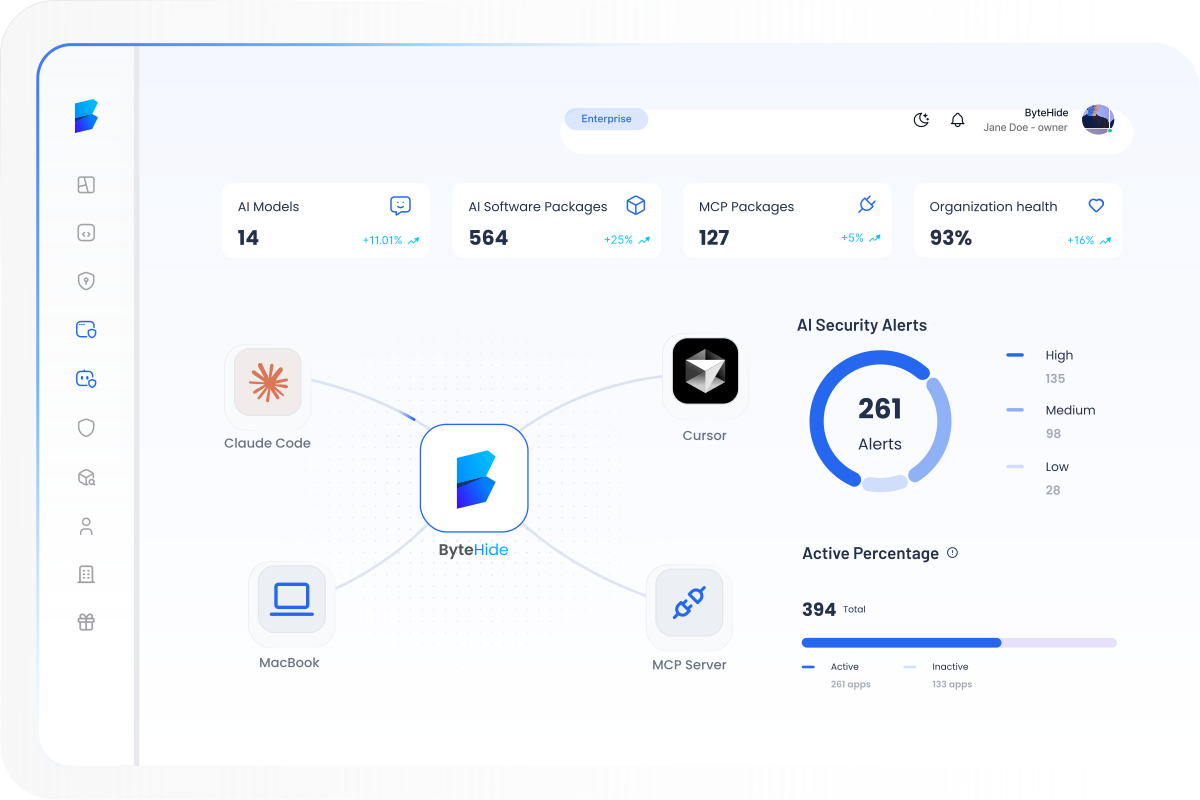
See the full ByteHide platform
ByteHide platform dashboard preview showing application security monitoring

Frequently asked questions

What is a JavaScript obfuscator?
A JavaScript obfuscator is a tool that transforms your JavaScript into a functionally identical but unreadable version. The code runs exactly the same, but it becomes very hard to read, copy, or reverse engineer.
Is this JavaScript obfuscator free?
Yes. You can obfuscate your code for free, with no signup to start. A free account unlocks additional uses, and ByteHide Shield is available for production-grade protection.
Is obfuscated JavaScript code slower?
The performance impact is minor for most obfuscation techniques. Some advanced transformations, like control flow obfuscation and code virtualization, add overhead, which is why they are configurable. For most applications the difference is not noticeable.
Can obfuscated JavaScript be reversed?
No obfuscation is impossible to reverse given unlimited time and skill. The goal is to make reverse engineering so slow and costly that it is not worth the effort. Layered obfuscation, like ByteHide Shield applies, raises that cost significantly.
What is VM or code virtualization obfuscation?
Code virtualization is the strongest obfuscation technique. It converts your code into custom bytecode that runs on an embedded virtual machine, so there is no standard JavaScript left for an attacker to read. It is available in ByteHide Shield.
What is the difference between obfuscation and minification?
Minification makes code smaller for faster loading and its goal is performance. Obfuscation makes code hard to reverse engineer and its goal is protection. Minified code is still readable once beautified; obfuscated code is not.
Do I need an account to obfuscate code?
No. You can start obfuscating immediately. After a few uses, a free account lets you continue, and also gives you access to more of the ByteHide platform.
What is the best JavaScript obfuscator?
The best obfuscator depends on your needs. For quick protection of a file, a free online tool is enough. For production applications that need layered obfuscation, code virtualization, runtime protection, and framework coverage, ByteHide Shield is built for that.
10,000+ developers and companies protect their applications with ByteHide

Protect your full application with
ByteHide Shield

This free tool protects individual files. When you are ready to protect a complete production application, with advanced obfuscation, code virtualization, runtime self-protection, and coverage for your framework, ByteHide Shield is the next step.

ByteHide runtime dashboard showing live threat monitoring and protection metrics